
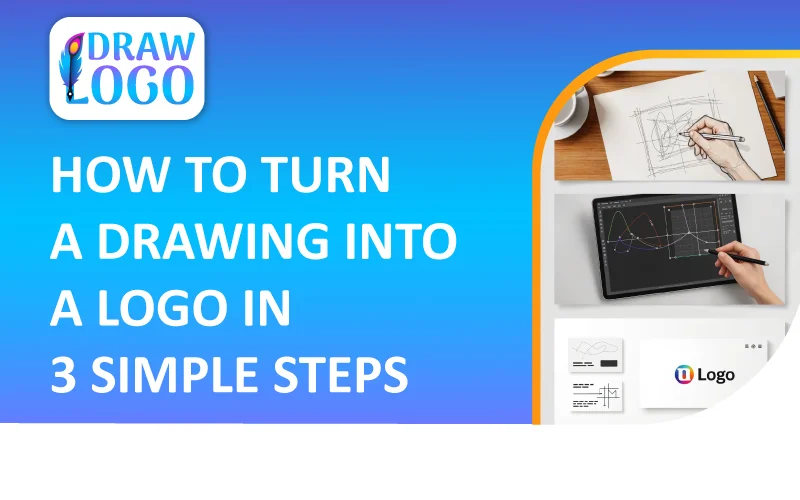
How To Turn A Drawing Into A Logo in 3 Simple Steps
How to Turn a Drawing Into a Logo - Complete GuideEvery great brand comes with a simple idea followed by a hand-drawn concept that later transforms into a professional brand logo. Many entrepreneurs, artists, and startup founders begin with a simple sketch and seek to develop it into a refined, scalable, and fully brand-ready logo. If you're looking for how to turn a drawing into a logo, you're in the right place.
Whether you want to turn drawing into logo for a small business or design a powerful logo from drawing for your online store, this guide provides complete clarity. In this thorough guide, you'll explore how to turn a sketch into a logo, including refining your design, converting it into a digital form, creating a vector version, and preparing it for real-world branding.
Why Does Beginning with a Sketch Matter?
Before moving into the technical process, let's first understand why starting with a sketch is so powerful. A sketch can:
- Gives you greater freedom without any digital limitations.
- Allow concepts to evolve more naturally on paper.
- Make it easier to explore various shapes and designs.
- Add both personal and professional touch to your brand identity.
As drawing embodies pure creativity, a logo from drawing delivers individuality and charm that ready-made icons cannot match. That's why countless brands begin their journey with a hand-drawn concept.
How to Turn a Drawing Into a Logo: Complete Guide
Below is a step-by-step guide on how to turn a sketch to logo:
Step 01: Refine Your Sketch Concept
The first step in figuring out how do I turn a drawing into a logo involves refining your concept. This step helps ensure a focused approach.
Ask Yourself:
- Is the design concept straightforward and recognizable?
- Does it clearly convey your brand message?
- Will it make a strong impact when presented in a monochromatic color palette?
- Is it scalable for different uses?
A logo needs to function effectively across all sizes. If your drawing contains too many details, simplify it first, as effective logos rely on clean and uncluttered design.
Step 02: Redraw Your Initial Design
Once your concept is refined, take time to redraw your initial sketch carefully.
Tips:
- Use dark, bold ink for crisp outlines.
- Avoid smudging or uneven strokes.
- Maintain a balanced proportion.
- Keep edges defined and consistent.
A clean version will make the process of turning your sketch into a logo much easier when you digitize it.
Step 03: Digitize Your Drawing
To create a professional logo from a hand-drawn sketch, you must convert it into a digital format. Two of the most common options are as follows:
Option 1: Scanning
- Use a high-resolution scanner (300–600 DPI) to produce the best quality image.
Option 2: Photographing
If a scanner isn't available:
- Place the sketch on a flat, even surface.
- Use good natural lighting.
- Avoid casting shadows.
- Capture a high-resolution image.
After digitizing your artwork, you can begin turning your drawing into a logo using professional graphic design software.
Step 04: Use Professional Design Software
To successfully turn a sketch into a professional logo, you require vector-based design software. Raster formats like JPG or PNG can become blurry when scaled, so logos should be created as vector files to remain crisp.
- Adobe Illustrator
- Inkscape (Free Tool)
- Affinity Designer
- CorelDRAW
Vector software allows you to trace your drawing and transform it into scalable paths for professional use.
Step 05: Convert Sketch to Vector Format
This step is the heart of turning your sketch into a logo. It usually involves two different methods, both of which are briefly explained below:
Method 1: Auto Image Trace
Many software programs have an "Image Trace" feature that automatically turns your sketch into vector paths. It is a quick and convenient process, but often requires significant cleanup.
Method 2: Manual Pen Tool Tracing
Manually tracing your sketch using a Pen Tool:
- Create clean, smooth lines.
- Gives you full control over design.
- Delivers professional-quality results.
If you want to truly turn your drawing into a polished, high-quality logo, manual tracing is the best approach.
Step 06: Simplify Shapes and Balance Composition
Once your drawing is traced, zoom in and carefully refine the design:
- Smooth out curves.
- Adjust anchor points.
- Remove excess details.
- Maintain balanced proportions.
When mastering how to turn my drawing into a logo, remember that simplicity is the key. The most memorable and iconic logos are simple, clean, and minimal.
Step 07: Integrate Professional Typography
If your sketch contains text or a brand name, use professional fonts instead of hand-drawn lettering unless custom lettering is your expertise.
Consider:
- Font that reflects your brand personality.
- Clean, legible typography.
- Consistent spacing between letters.
Avoid using overly decorated fonts, and make sure your typography enhances and complements rather than overshadowing your visual symbol.
Step 08: Choose a Suitable Color Palette
Color impacts perception and emotion, so consider it when transforming a drawing into a logo.
Think about:
- What emotions does your brand want to convey?
- Where will the logo appear?
- Does it remain effective in monochrome?
Make Sure to Create a:
- Full color version.
- Black and white version.
- White version.
A professional logo must be versatile and work effectively in all formats.
Step 09: Test Logo Scalability
Test your logo scalability for different sizes:
- 16px favicon size.
- Social media profile size.
- Website headers.
- Posters or large prints.
If the design loses clarity or looks cluttered, simplify and refine it further. The ability to scale the logo effectively is what makes it a professional-quality logo.
Step 10: Export Your Logo For Multiple Use
After successfully turning your drawing into a logo, make sure to export it in various file formats, because professional logos need versatility.
Vector Formats:
- SVG: Ideal for web and scaling.
- AI or EPS: Suitable for editable vector files.
Raster Formats:
- PNG: Transparent background.
- JPG: Suitable for web use.
Common Mistakes When Turning a Drawing into a Logo
- Making the Design Overcomplicated: A cluttered and overcomplicated logo loses clarity, making it hard to recognize and scale.
- Overloading Colors: Using too many colors fails to maintain visual harmony and the brand message.
- Neglecting Brand Consistency: Neglecting brand consistency makes the design look odd and random and will not convey your brand's values and personality.
- Skipping Vectorization: Not using vector files and relying solely on raster formats reduces the flexibility and quality of the logo.
- Copying Existing Designs: Replicating existing designs gives rise to confusion, suppresses uniqueness, and can result in legal actions.
Expert Tips for Crafting a Professional-Grade Logo
For a remarkable sketch-to-logo transformation, make sure to consider these expert tips:
- Leverage Grid Systems: Organize the shapes and elements consistently to maintain structure and create harmony.
- Maintain Visual Hierarchy: Make sure the elements are prominent and easy to notice to capture attention first.
- Test Text Clarity: Verify that fonts and lettering are clear and legible at every scale.
- Focus On Timelessness: Opt for classic styles and avoid using trendy styles that make your logo look outdated. Make sure to create a logo that lasts.
Practical Uses after Turning a Sketch into a Logo
A professionally designed and scalable logo can be used across:
- Marketing materials
- Business cards
- Websites
- Product packaging
- Social media branding
- Merchandise
A properly refined sketch to logo conversion ensures your brand identity looks consistent, polished, and professional in every setting.
Frequently Asked Questions
How long does it usually take to create a logo from a hand-drawn sketch?
The time to create a logo from a hand-drawn sketch depends on the design's complexity and the method you use.
Average Design Time Breakdown:
- Basic Sketches: 2 to 5 hours.
- Advanced, Hand-Drawn Logos: 10 to 20 hours.
- Complex Project: 3 to 4 weeks and sometimes even more.
What makes the drawing-to-logo conversion important?
- Enhances brand perception and professionalism.
- Maintains clarity, proportions, and versatility across all media.
- Strengthens brand identity and uniqueness.
- Protects against generic or amateur impressions.
What makes vector files a better choice than raster files?
Vector files are a better choice than raster files because:
- It can maintain clarity regardless of size and dimension.
- It can be easily adjusted and updated.
- It prevents pixelation that occurs in raster files.
- It is suitable for professional printing.
Can I turn a drawing into a logo without design expertise?
Absolutely! Anyone can turn a drawing into a professional-grade logo without any design expertise by leveraging online logo tools and applications. With these online auto-tracing and vectorization tools, you can easily convert a drawing into a logo, saving time and improving quality.
What's the process for converting different types of drawings into a scalable logo?
Below are the processes of converting different types of drawings into a scalable logo:
- Character Sketches: Trace and simplify features and convert into a flat illustration style.
- Hand Lettering: Digitally refined for clean, consistent strokes and transformed into a scalable vector design.
- Abstract Sketches: Refine edges and adjust alignment and shapes by using grids to ensure visual harmony.
Final Thoughts: How Do I Turn a Drawing Into a Logo
Transforming a drawing into a logo is a process that merges creativity with professional design. A hand-drawn concept brings character and uniqueness, while refining, digitizing, and vectorizing ensures the logo works perfectly across platforms, from favicon to large displays.
A strong logo strikes the right balance between clarity, simplicity, and distinct brand identity. Thoughtfully chosen fonts, intentional color selection, and refined shapes transform a basic drawing into a professional asset. Whether you're creating a logo from drawing for a startup or an established brand, this structured approach ensures your hand-drawn concept becomes a distinctive visual identity that truly resonates.
Get ready to transform your sketches into a polished look and make every design speak your brand story!
.webp)