
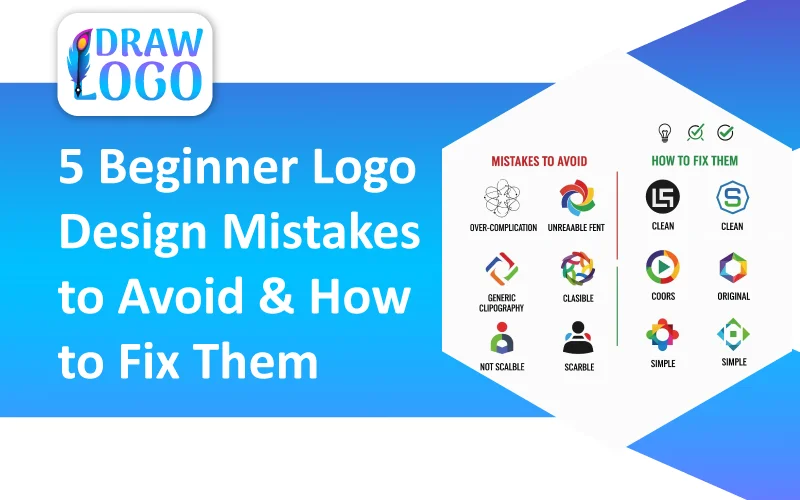
5 Beginner Logo Design Mistakes to Avoid & How to Fix Them
How to Design a Logo for Beginners - Complete 10-Step GuideA professional logo is a necessity for every business nowadays, but crafting one without any design expertise can feel overwhelming. Designing a logo goes beyond just combining texts and symbols; it involves crafting a visual identity that embodies your brand's values, purpose, and vision.
Whether you are launching a startup, growing a small business, or shaping a personal brand, mastering the logo design process is key to success. This comprehensive tutorial outlines the complete journey from logo planning and creative brainstorming to design execution and refinement. By the end of this comprehensive guide, you'll confidently grasp how to come up with a business logo that is both purposeful and visually compelling.
Understand Why Every Business Needs a Logo
Before getting started, it's important to understand why logo design plays such a significant role in branding and deserves serious attention. As your logo becomes the face of your brand, it shapes the first impression someone makes about your business. That initial impression defines whether your brand appears trustworthy, innovative, creative, or professional.
A well-designed logo can:
- Strengthens brand recognition
- Creates a strong first impression
- Establishes trust and credibility
- Enhances marketing consistency
- Boosts memorability
- Sets you apart from competitors
- Fosters an emotional connection
How to Design a Logo for Beginners In 10 Simple Steps
Step 01: Logo Planning
Start with logo planning. Successful logos are built on strategy, as without proper planning, even a visually appealing design fails to convey your brand message. Ask yourself the following:
- What tone will your brand convey?
- What emotions should my brand evoke?
- What needs does your business fulfill?
- What makes your brand different from others?
- What principles define your brand?
Coming up with a logo without addressing these key questions makes your design look random and undermines its branding purpose.
Step 02: Understand Your Target Audience
Understanding your target audience is the foundation of a professional logo.
Analyze Your Audience's Preferences:
- What colors appeal to them?
- Understand which design style conveys trust?
- Determine a visual tone that matches their expectations.
Step 03: Research Your Industry
One of the smartest moves in logo design is researching your industry and competitors.
Pay Attention To:
- Competitor logos
- Trending colors in the industry
- Common typography choices
- Frequently used icons and symbols
Spot the gaps. If competitors mostly use green, try a distinctive color that helps your brand stand out. If most logos rely on text, consider symbols. Good search not only helps you initiate the process but also ensures your brand stands out.
Step 04: Choose the Right Logo Style
To ensure your logo feels trustworthy and conveys your brand's mission, understanding different logo styles is important.
There are five main types:
Wordmark (Logotype):
- A stylized version of the brand name that uses bold or custom typography.
- Best for: Brands with strong and unique names.
Lettermark:
- A stylized representation of the brand name's initial.
- Best for: Brands with long or difficult names.
Icon or Symbol:
- A graphic or symbol that conveys brand identity without any text.
- Best for: Brands that want instant recognition.
Combination Mark:
- It features text and symbols together.
- Best for: Brands that demand adaptability across platforms.
Emblem:
- Text within a badge or shape.
- Best for: Great for brands that embrace traditional or heritage style.
Step 05: Brainstorm and Sketch Ideas
Before opening any design software, take time to brainstorm and sketch rough ideas.
Here are some simple exercises for brainstorming your logo:
- Test multiple fonts for your brand name
- Sketch industry-related symbols
- Explore creative ways to combine letters
- Play around with different shapes
Sketching helps you stay original and creative, and streamlines the logo design process.
Step 06: Choose Color Strategically
Color psychology plays a major role in branding as it influences perception.
Common color symbolism:
- Blue: Trust, intelligence, and professionalism
- Red: Power and passion
- Green: Health and sustainability
- Yellow: Optimism and energy
- Black: Sophistication and authority
- Purple: Elegance and imagination
Keep your logo palette to 2–3 colors to maintain clarity and consistency, as overloading with too many colors can dilute your brand message.
Step 07: Select Professional Typography
When creating a business logo, pick fonts that match your brand's personality, as every font conveys a different mood and purpose.
Common Types Of Fonts:
- Serif Fonts: Traditional, reliable, and formal
- Script Fonts: Elegant and creative
- Sans-Serif Fonts: Modern, clean, and minimal
Use one or two fonts and ensure the text feels intentional, not random.
Step 08: Ensure Scalability
Testing a logo's scalability is a key step in logo design. A professional logo should work across all contexts:
- Social media icons
- Website headers
- Business cards
- Product packaging
- Large-scale ads like billboards
If your logo becomes unclear when resized, refine and simplify the design to maintain clarity.
Step 09: Test Versatility
A strong logo should remain effective across different variations, including:
- Color Variations: Primary colors, black-and-white, or single-color versions.
- Layout Options: Horizontal, stacked, or icon-only arrangements.
- Background Compatibility: Light, dark, and textured backgrounds.
Designing a versatile logo increases its usability and extends its practical use over time.
Step 10: Export Your Logo
After finalizing your logo, export it in a format that best suits your needs. Commonly used formats include:
- PDF: Best for high-quality print
- PNG: Best for web use and transparency
- JPEG: Best for images and online sharing
- SVG or AI: Best for scalable, vector designs
Getting your files ready the right way marks the completion of a professional logo design process.
Frequent Logo Designing Mistakes Beginners Must Avoid
- Rushing the Process: Rushing through the design process instead of researching, sketching, and iteration to create a refined logo.
- Skipping Brand Research: Designing without understanding your audience, values, and brand message makes the logo meaningless.
- Following Trends Blindly: Trendy designs may become outdated quickly, making the design look less appealing.
- Copying Competitors: Copying competitors instead of developing a unique and distinct brand identity.
- Inappropriate Fonts: Using decorative fonts that don't align with the brand and may reduce readability.
- Overcomplicating the Design: Completing the design with too many colors and elements makes it less approachable and cluttered.
- Using Too Many Colors: Choose 1–3 primary colors; otherwise, you can complicate the design with too many colors.
- Ignoring Scalability and Versatility: Ignoring logo testing at different sizes and across backgrounds.
- Neglecting File Formats: Saving files in an incorrect or inappropriate format.
Tips to Boost Confidence As a Beginner
As a beginner, the key to confidence is consistent practice, learning, and the right mindset.
- Learn the Basics Thoroughly: Learn core skills before advancing to complex tasks.
- Start Small and Build Gradually: Start with small and manageable projects and increase difficulty gradually.
- Celebrate Each Small Success: Recognizing even small wins can boost motivation.
- Learn From Your Mistakes: Accept mistakes and don't fear errors as they are part of the learning process.
- Track Your Progress: Build lasting confidence by regularly tracking your progress.
- Seek Support From Mentors: Guidance and encouragement accelerate growth.
- Gradually Take on Bigger Challenges: Step outside your comfort zone to expand your skills and achieve self-assurance.
Frequently Asked Questions
Which logo designing tools are the easiest and most beginner-friendly?
Here are the easiest and most beginner-friendly tools that help design logos without any design experience:
- Canva: Best tool with customizable templates and simple editing options.
- Adobe Express: A streamlined design tool with ready-made assets.
- Figma: A web-based and easy to learn tool, ideal for experimentation.
- Looka or Hatchful by Shopify: AI-powered logo generators that suggest designs instantly and effortlessly.
- DrawLogo: A beginner-friendly tool with ready-to-use templates and easy customization features that simplify logo creation.
Can someone with no experience design a professional-quality logo?
Absolutely! Even if you have no design experience, you can design a polished and credible logo by following a structured logo design process. By planning thoughtfully, using simple design elements, and selecting the right beginner-friendly tools, you can create a logo that looks both credible and professional.
How do beginners determine which logo type to use?
A beginner should select their logo type based on their brand identity, tone, and personality. If your brand name is unique, emphasize it with a wordmark, and if it is long, shorten it using a lettermark. If your brand is more visual, opt for a symbol, and if you want to add more versatility, use a combination mark.
How long does it typically take for a first-time designer to create a logo?
The amount of time a beginner needs to design a logo varies based on planning, skill level, and project complexity. The following is the estimated timeline based on different methods:
- AI Logo Generators: 5-15 minutes.
- DIY Design Tools: 1-5 hours.
- Professional Software: 10-30+ hours
How many logo drafts are recommended to create a business logo?
Typically, creating 3-5 logo concepts is usually enough. It allows you to explore different creative directions and refine the one that stands out the most, ensuring a more polished and strategic final logo.
Final Thoughts: Crafting a Professional Logo as a Beginner
Crafting a logo as a beginner may seem challenging at first, but with proper guidance, the right approach, and a confident mindset, you can definitely nail it. By following a structured design process that includes careful planning, research, sketching, picking colors and fonts, and testing scalability and versatility, you can create a logo that's professional, recognizable, and flexible.
Focus on simplicity, readability, and refining ideas, and remember that a logo doesn't need to be complex to be impactful and professional. With consistent practice, patience, and beginner-friendly tools such as Canva, Figma, or DrawLogo, anyone can design a logo that reflects their brand and creates a memorable visual identity.
.webp)